 Yin Yang Launcher
Minimalist Phone App Alternatives and Pricing (2026)
How minimalist phone's trial and plans work, and how it compares with Yin Yang Launcher and Minimalist Launcher Flow on Android, so you can pick the one that fits.
Updated October 2026
Minimalist phone, the app by Focus Experts, is a paid Android launcher with an iPhone app. Its monthly and yearly plans start with a 7-day free trial, and the one-time purchase is charged right away. It gives you a text-only home screen built around app blocking.
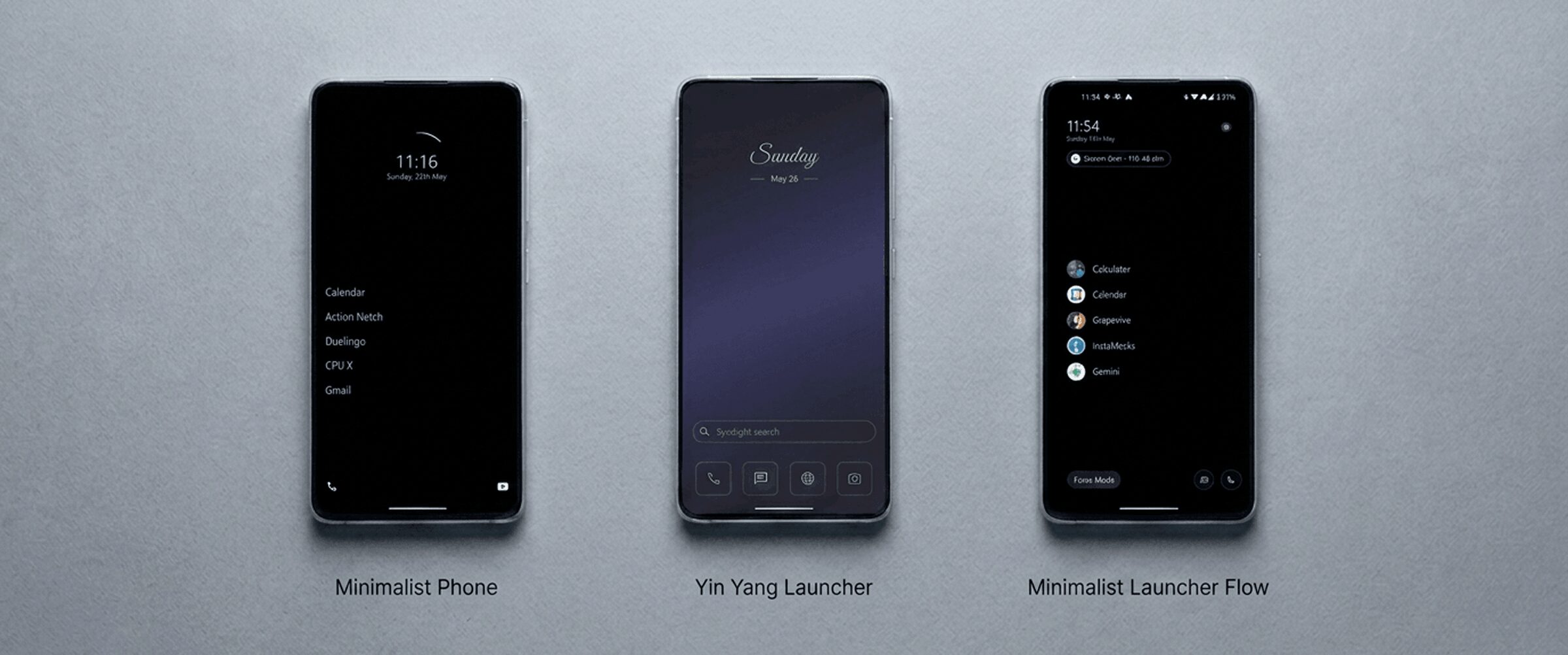
If you want a different minimalist phone app on Android, start with Yin Yang Launcher. It works as an app timer, adds a pause before distracting apps and can block an app completely for days. You keep your widgets and a home screen that suits you. Its core features are available without payment. Minimalist Launcher Flow is another option: it shows each app’s screen time as you reach for it.
We build Yin Yang Launcher. The other apps are described from their Play listings and help pages (October 2026). On iPhone, minimalist phone is available itself; the alternatives below are Android apps.
What makes a minimalist phone app?
A minimalist phone app makes your phone quieter to look at and easier to put down. It removes what pulls at you, keeps one consistent look across every screen, and adds tools for the apps you want to use less. Some apps do this with a plain text list. Others let you keep icons in a calmer style.
What is minimalist phone?
minimalist phone is a launcher built around blocking: a plain text list of apps, backed by app and website blockers. Its developer lists these features on Google Play and in its help centre:
- An icon-free home screen with themes, fonts, folders and app renaming.
- An app blocker that locks an app for 4 hours to 30 days, and blocking schedules for work, study or sleep.
- A session timer that asks how long you want each time you open a chosen app.
- A 15-second launch delay before social media apps.
- Short-video blocking inside YouTube, Instagram, Facebook and Snapchat.
- A notification filter, hidden apps and grayscale for selected apps.
minimalist phone has 5M+ installs on Google Play and was last updated in September 2026. Its iPhone app launched in November 2025.
Is minimalist phone free, or paid?
minimalist phone is paid: the monthly and yearly plans start with a 7-day free trial, and the one-time purchase is charged right away.
- Monthly subscription: billed when the 7-day trial ends, unless you cancel first.
- Yearly subscription: billed once a year after the 7-day trial.
- One-time purchase: charged immediately, because Google Play doesn’t allow trials on one-time purchases. minimalist phone offers a refund within 7 days.
Prices vary by country, and Google Play shows the price in your currency before you confirm. minimalist phone’s help centre says it charges a fee instead of showing ads or selling data.
How do Yin Yang Launcher and Flow handle pricing?
Yin Yang Launcher has no ads and needs no sign-in. Core features are available without payment; Pro adds more widgets, more looks and stronger wellness tools:
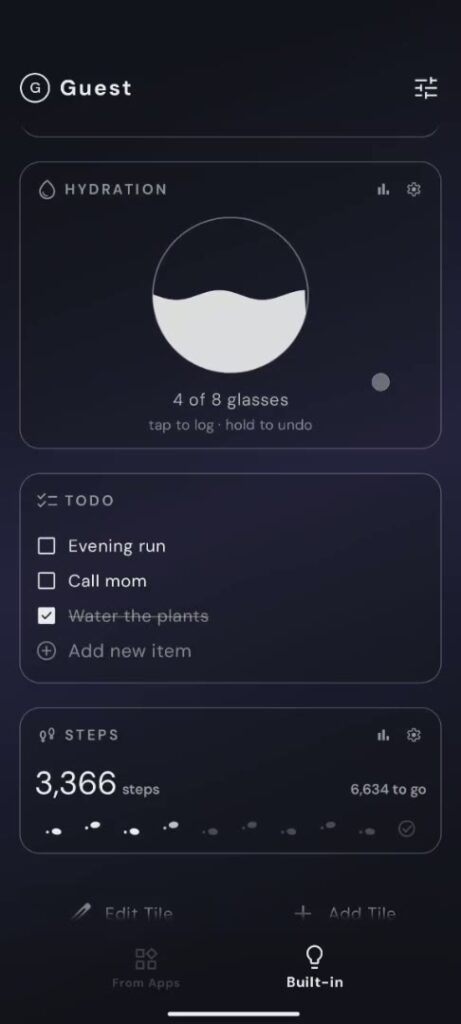
- More widgets: extra My Space tiles such as Screen Time, Music and Steps.
- More looks: live wallpapers, extra clock styles, custom fonts and icon packs.
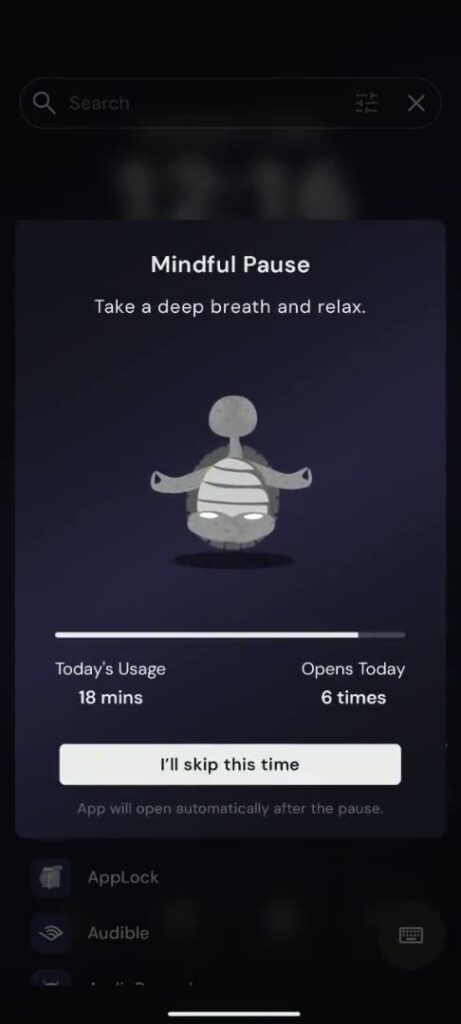
- Stronger wellness tools: Mindful Pause on more apps, Strict focus sessions and Mindful Break.
Yin Yang Pro is a yearly plan or a one-time lifetime purchase, priced by country. Minimalist Launcher Flow is free to download, with paid upgrades inside the app.
What does Yin Yang Launcher offer instead?
Yin Yang Launcher is a minimalist launcher for Android with an app timer, a pause before distracting apps and full app blocking built in. It also keeps useful widgets and a home screen you choose. It has 100K+ downloads on Google Play and was last updated in October 2026.
An app timer, a pause and full blocking
Yin Yang Launcher gives you four ways to use distracting apps less, and you choose which apps each one applies to:
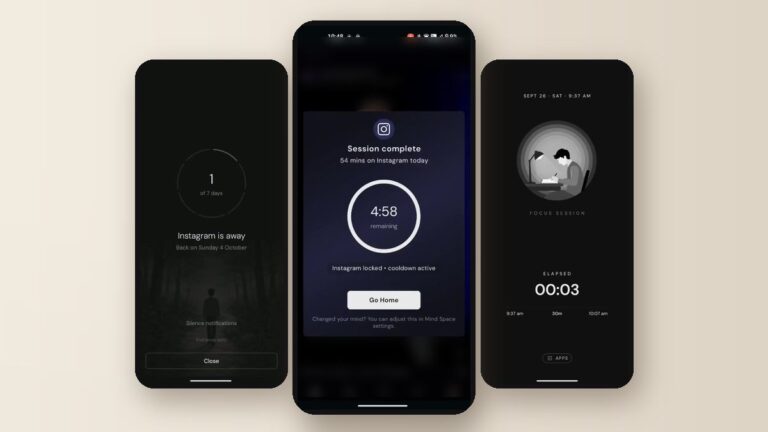
- App timer (Mindful Timer): set a daily time limit for a group of apps, such as 30 minutes for Instagram and TikTok together. You pick each session’s length as you open one, and a cooldown can follow.
- A pause before opening (Mindful Pause): a 10 to 60 second breathing pause before the apps you choose.
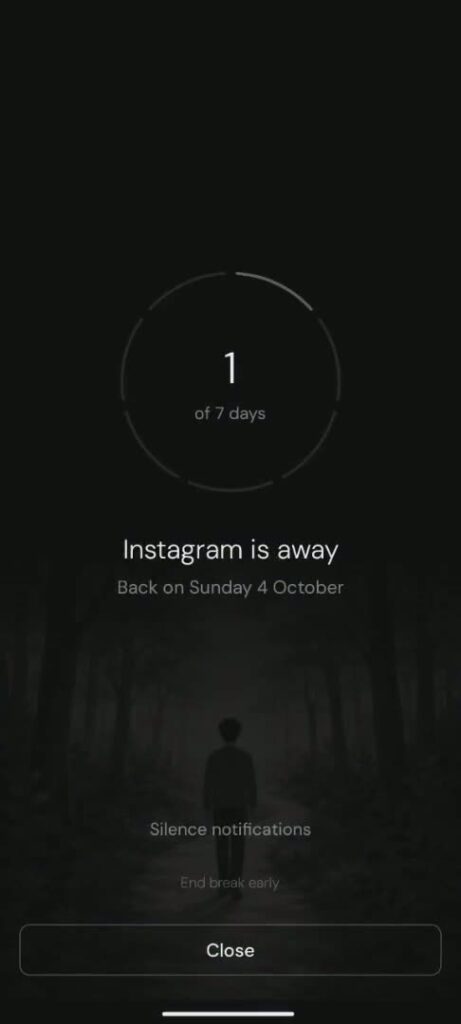
- A full break from an app (Mindful Break): block one app completely for 1, 3, 7 or 30 days, with your own reason shown when you reach for it.
- Focus sessions (Focus Mode): hide everything except the few apps you allow. Schedules remind you to start, and Strict sessions can’t be ended early.
Built-in and third-party widgets
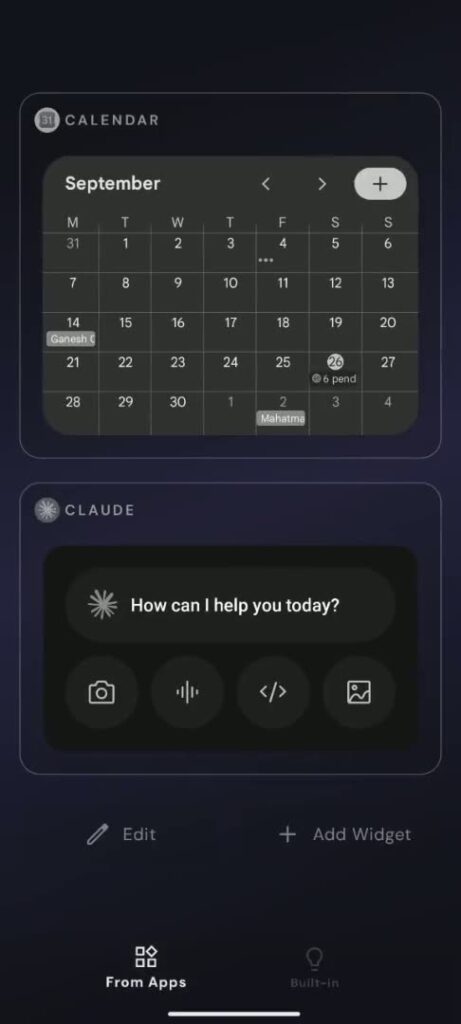
Yin Yang Launcher has built-in Notes, To-dos, Calendar, Weather and App Folder widgets, and it supports your own Android widgets, such as Google Calendar, Keep or Spotify. Third-party widgets can run in monochrome, so they match a grayscale setup instead of breaking it. The widgets live in My Space, a page beside the home screen, so the home screen itself stays clean. See the My Space widgets guide.
A home screen that suits you
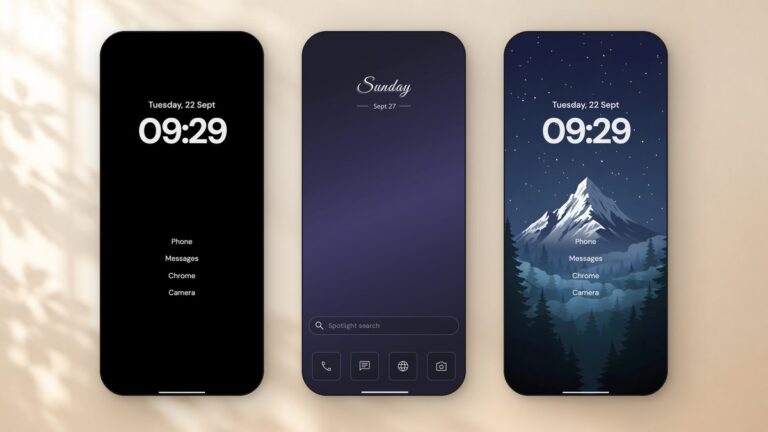
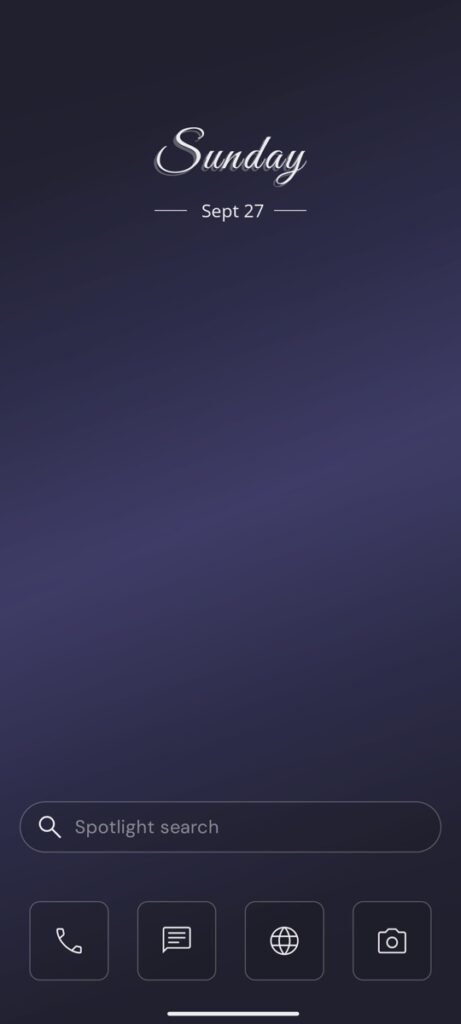
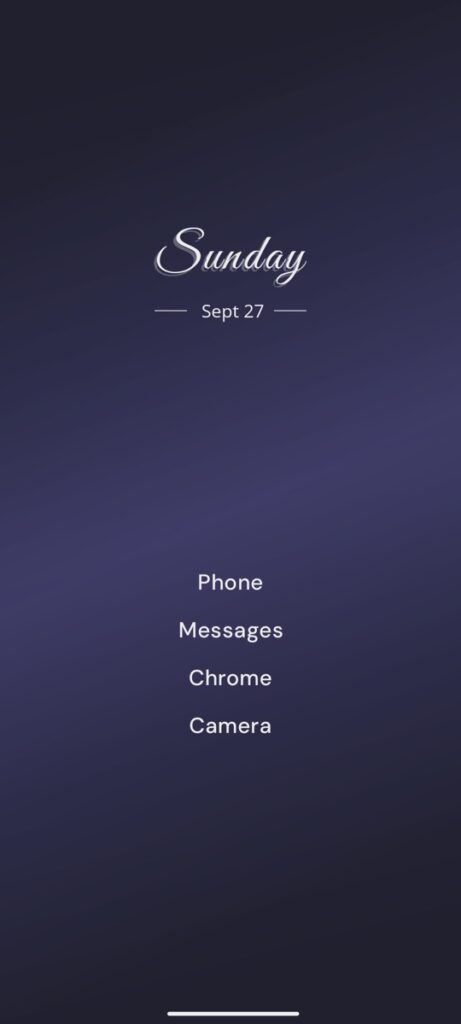
Yin Yang Launcher lets you choose the layout: Classic with icons, or Minimal with a plain text list. One editor sets the clock, font, icon tint and wallpaper across the home screen, app drawer and My Space, so every screen matches. The guide to customizing your home screen shows each step.
Who is Minimalist Launcher Flow for?
Minimalist Launcher Flow is built around awareness in place: it shows each app’s screen time next to its name on the home screen and in its categorized app drawer. It also has calendar, to-do and usage widgets, a Focus Mode and a Digital Detox mode that blocks chosen apps. Flow has 100K+ installs and was last updated in May 2026. Minimalist Launcher Flow on Google Play
How do the three apps compare?
minimalist phone adds automatic blocking schedules and short-video blocking inside apps. Yin Yang Launcher combines an app timer, a pause and full app blocking with widgets. Flow shows screen time in place.
| minimalist phone | Yin Yang Launcher | Minimalist Launcher Flow | |
|---|---|---|---|
| Approach | Blocking | App timer, pause and blocking, with widgets and a home screen you choose | Awareness in place |
| Core features without payment | No (trial on subscriptions) | Yes | Yes, with paid upgrades |
| Home layout | Text list | Icons or text list, your choice | Most-used apps with their screen time |
| Widgets | No Android widgets | Built-in notes, to-dos, calendar and weather, plus third-party widgets (color or monochrome) | Built-in calendar, to-do and usage widgets |
| Pause before opening | 15-second launch delay | Mindful Pause, 10 to 60 seconds | Not listed |
| App timer | Session timer each time you open an app | Daily time limit for app groups, with session length and cooldown | Not listed |
| Full app blocking | 4 hours to 30 days, plus automatic schedules | Mindful Break, 1 to 30 days; Strict Focus sessions | Focus Mode and Digital Detox |
| Notification filter | Yes | No | No |
| Website and short-video blocking | Yes | No | Not listed |
| iPhone | Yes | No | No |
| Pricing model | Paid after a 7-day trial, or one-time | Pro yearly or lifetime | Free download, paid upgrades |
Limits to know
Yin Yang doesn’t block apps automatically on a timetable, filter notifications, or block websites and short videos inside apps. minimalist phone has no Android widgets and keeps a text-only home screen.
When is minimalist phone the better fit?
minimalist phone is the better fit if you need apps blocked automatically on a schedule, short videos blocked inside apps, a notification filter or an iPhone version.
Which minimalist phone alternative should you pick?
Choose Yin Yang Launcher if you want to use distracting apps less without giving up your widgets or a home screen you like. It gives the apps you choose a daily time limit, a pause before opening or a full break of several days. Built-in and third-party widgets keep your calendar, notes and to-dos close, and you keep icons or a text list. Its core features are available without payment, so you can try it before deciding on Pro.
Choose Minimalist Launcher Flow if seeing an app’s screen time as you open it helps you most. Whatever you pick, Android lets you switch back to your old launcher from Settings at any time.
What other minimalist launchers are worth a look?
Olauncher is the plainest option: a free, open-source text launcher with no ads and no in-app purchases. For a wider comparison, including Niagara Launcher and Before Launcher, see our best minimalist launchers for Android. To set up a calmer home screen step by step, read how to make a minimalist home screen on Android.
FAQ
Is the minimalist phone app free?
No. minimalist phone’s monthly and yearly plans start with a 7-day free trial, then you pay. The one-time purchase is charged right away, with a refund available within 7 days.
Is the minimalist phone app safe?
minimalist phone has 5M+ installs on Google Play and no ads. Its listing says it uses Android’s Accessibility services for in-app reminders and blocking, and that it collects no personal information from them.
Does minimalist phone work on iPhone?
Yes. minimalist phone has had an iPhone app since November 2025. The alternatives in this article, Yin Yang Launcher and Minimalist Launcher Flow, are Android only.
What is the best minimalist phone app for Android?
It depends on what you want. minimalist phone offers automatic blocking schedules and short-video blocking inside apps. Yin Yang Launcher combines an app timer, a pause before opening and full app blocking with built-in and third-party widgets. Flow shows screen time next to each app.
Is there a minimalist phone alternative without a subscription?
Yes. Yin Yang Launcher’s Pro is available as a one-time lifetime purchase, and its core features are available without payment. Olauncher has no in-app purchases at all.