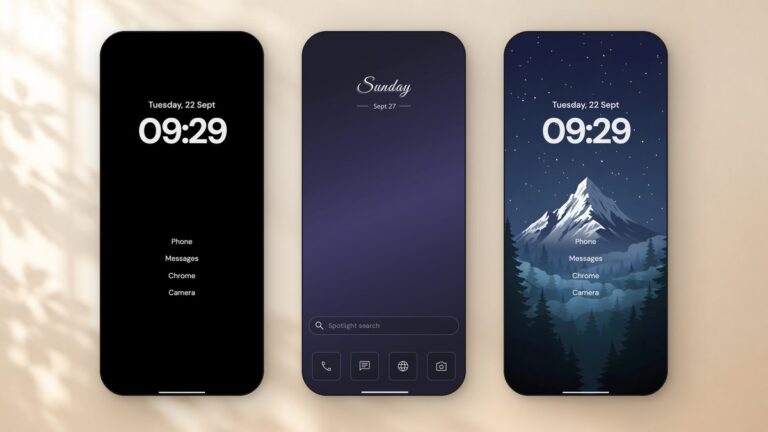
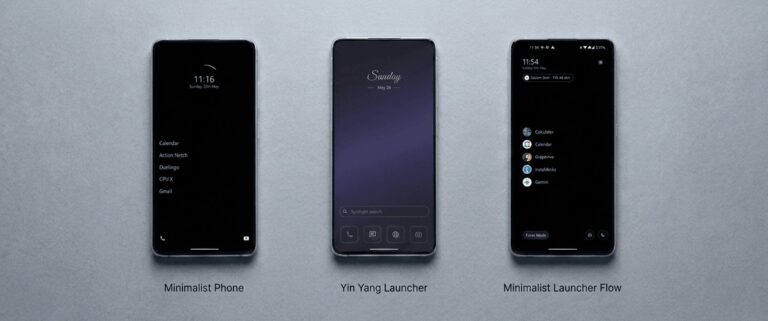
 Yin Yang Launcher
How to Block Apps on Android (and Pick How Strict)
Block an app with Android's built-in app timer, then choose how strict to be: a pause before it opens, a daily budget, or a few days away.
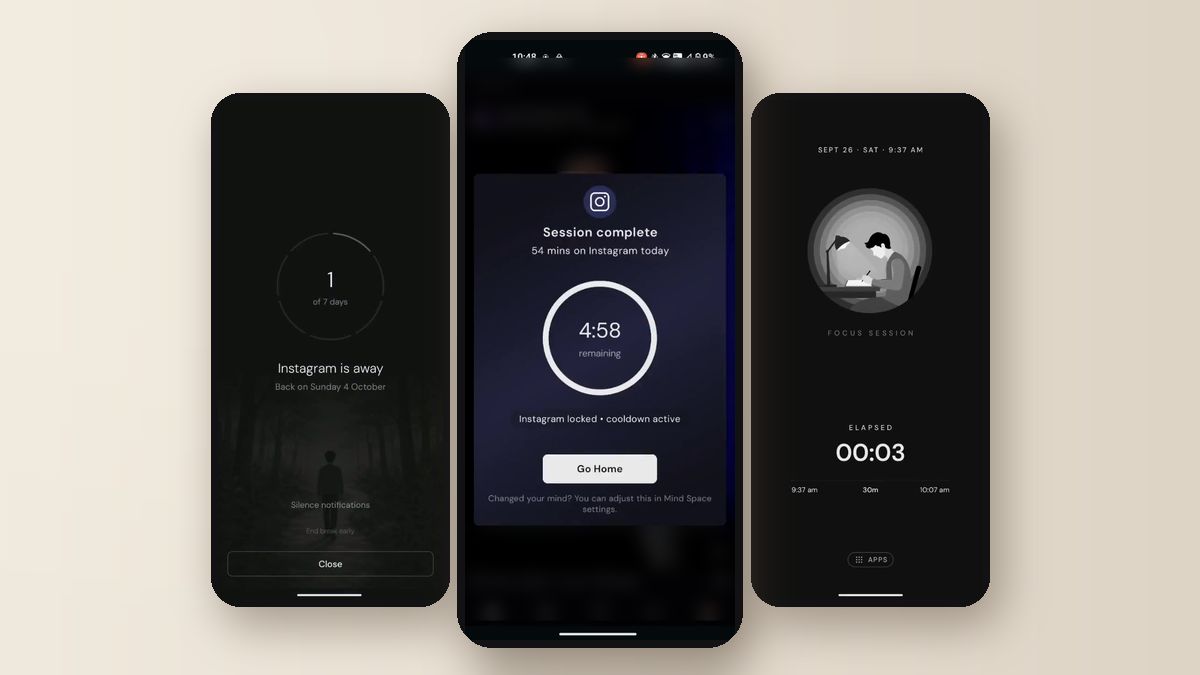
To block an app on Android, open Settings, tap Digital Wellbeing, then App timers, and set a daily limit. When time runs out, the app closes and dims until midnight. If a hard block feels too strict, or too easy to undo, match the strength to the habit. Use a short pause for mindless opens, a daily budget for apps you want in moderation, or a few days away from one app. Yin Yang Launcher has all three in one place, so you can move up or down as you learn what works.
How do I block an app on Android with Digital Wellbeing?
Android’s built-in way to block an app is an app timer in Digital Wellbeing. It sets a daily limit, and when the limit is used up the app closes and stays dimmed until midnight.
On a Google Pixel:
- Open Settings and tap Digital Wellbeing.
- Tap App timers, then pick the app.
- Set the time and tap OK.
On a Samsung Galaxy:
- Open Settings and tap Digital Wellbeing.
- Tap App timers, then Apps and app categories.
- Pick the app and tap Set timer.
To remove a limit, open the same screen and delete the timer. On Samsung, tap the app and then the red minus icon. Menu names change between Android versions, so look for “App timers” if a step reads slightly differently on your phone.
To block apps during certain hours, use Focus mode. On a Pixel, open Settings, tap Digital Wellbeing, then Focus mode, pick the apps and tap Turn on now or Set a schedule. Samsung has moved Focus mode into Modes and Routines.
Why do app blocks stop working?
App blocks usually fail in one of two ways: the block is too easy to get around, or it is too strict to live with. Both end the same way, with the blocker switched off.
We read about 5,700 one- and two-star Play reviews of 34 launcher and screen-time apps. “Too easy to bypass” came up in 244 of them. “Too restrictive” came up in 180. That is close to an even split, and it suggests no single strength suits everyone.
A daily timer you can cancel with two taps fades into the background. A total block on an app you need for work gets deleted by Wednesday. What lasts is a strength you picked for that one app and that one habit.
How strict should an app block be?
The right strength depends on how you use the app, not on how much you dislike it. Three common habits call for three different tools:
| Your habit with the app | What fits | How strong |
|---|---|---|
| You open it without thinking | A pause before it opens | Seconds |
| You want it, just less of it | A daily time budget | Minutes per day |
| You need to step away from it | A block for several days | Days |
Start one level lower than you think you need. If you keep pushing past it, move up a level. If you keep switching it off, move down.
How do I block apps with Yin Yang Launcher?
Yin Yang Launcher has all three strengths in Mind Space, one swipe left from the home screen. Set Yin Yang as your home screen first, then swipe left, open the Action tab and look under Apps you reach for.
- A pause before the app opens. Yin Yang’s Mindful Pause shows a breathing animation for 10 to 60 seconds before the app opens. You can wait for it, or go back to the home screen.
- A daily budget. Yin Yang’s Mindful Timer gives a group of apps one daily budget. Each time you open one, you choose how long the visit lasts. An optional cooldown keeps that app closed for a while after each session.
- Days away from one app. Yin Yang’s Mindful Break blocks one app for 1, 3, 7 or 30 days. You can add a note about why, and you see it each time you reach for the app. Ending a break early takes up to 24 hours, so a bad evening can’t undo it.
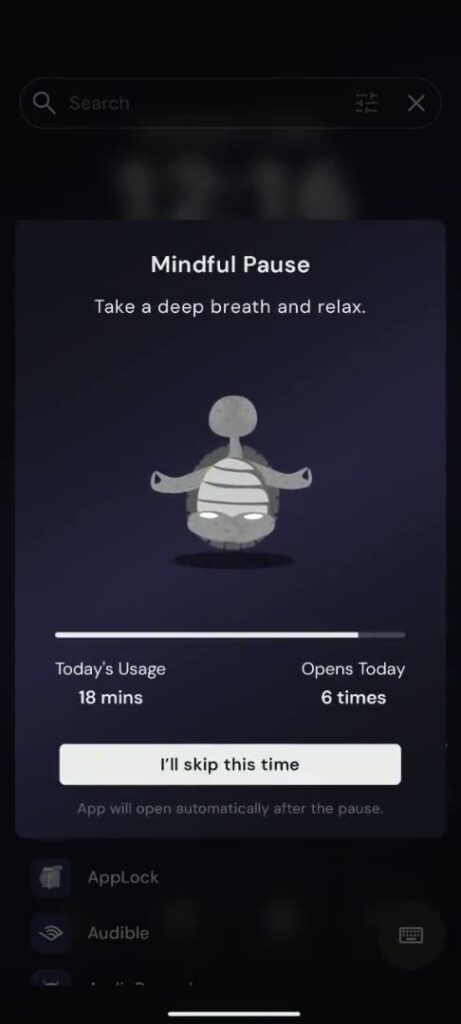
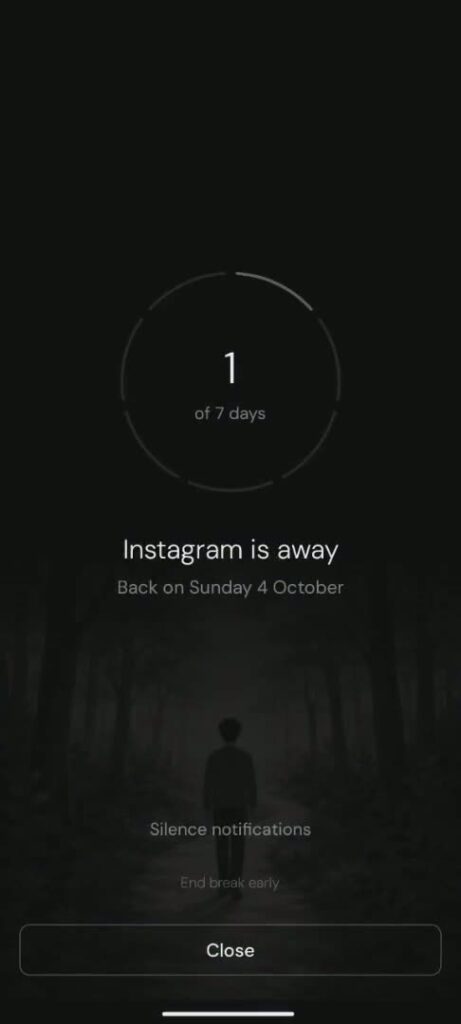
For work or study hours, Yin Yang’s Focus Mode hides every app except a short list you choose. You commit to the session before it starts, and Strict sessions have no early exit.
Yin Yang blocks apps inside the launcher. Tapping a notification or a link from another app can still open a blocked app. For that reason, the Mindful Break screen has a Silence notifications button that opens the app’s notification settings.
What is Pause Point on Android?
Pause Point is Google’s own pause before a distracting app opens. Google announced it in May 2026. When you open an app you’ve marked, Pause Point shows a 10-second pause that asks why you’re there. As of October 2026, Google lists it for the Pixel 11 series on Android 17 and later. On those phones, open Settings, tap Digital Wellbeing, then Ways to disconnect.
Pause Point shows that a short pause has become a mainstream way to slow down an app. On other Android phones, a launcher with a pause before opening, like Yin Yang’s Mindful Pause, does a similar job. More ways to cut back without a full block: how to use your phone less on Android and how to pause an app on Android.
When do you need a dedicated app blocker?
A dedicated blocker fits better when you also want to block websites in your browser. A launcher controls what opens from the home screen, while apps like AppBlock or Stay Focused also cover the browser. Both run blocking schedules and have a strict mode.
FAQ
Can I block an app on Android without parental controls?
Yes. Digital Wellbeing app timers and Focus mode work on your own phone with no parental setup. A launcher like Yin Yang Launcher adds a pause, a daily budget or a multi-day break on the apps you choose.
How do I block apps during certain hours on Android?
Use Focus mode in Digital Wellbeing and tap Set a schedule. In Yin Yang Launcher, a Focus Mode schedule reminds you at the time you pick, and the session starts when you tap Start.
How do I unblock an app on Android?
Open Settings, tap Digital Wellbeing, then App timers, and delete the app’s timer. Most timers also reset at midnight on their own.
Does blocking an app stop its notifications?
Paused apps in Digital Wellbeing’s Focus mode send no notifications. Yin Yang’s Mindful Break leaves notifications to you and offers a Silence notifications button on the break screen.
How do I stop an app from being downloaded on Android?
That is a parental control, set up with Google Family Link from a parent’s account. App timers and launchers limit apps that are already installed.